Project costs from Merit, checked against the estimate every morning.
Book a 30-min working callProof at a glance
The figures describe the system as it runs today: 13 projects were in the daily 06:00 Merit run (Tallinn time) in September 2026. The screenshots use test data, so none of the company's own figures are shown.
The Context
Bildex Grupp is an Estonian construction contractor running several building projects at the same time. Every project starts from an estimate that was priced and offered to the customer. Sales and purchase invoices are booked in Merit, the company's accounting software.
Why project costs were hard to see
The estimate and the costs sat in different places.
Estimates were kept in Excel and actual costs in Merit, so nobody saw the two side by side.
A project report had to be built by hand.
To see where a project stood, someone pulled the costs out and put a report together. The owner's first request was reporting that comes straight from Merit.
Access had to follow responsibility.
The owner needed to see every project. Each project manager should see only their own.
A dashboard that checks Merit against the estimate
Each project's estimate is loaded once and becomes its cost plan. Every morning at 06:00 an n8n workflow reads the project's sales and costs from Merit with read-only access, and the dashboard compares them with the plan category by category, with the invoices behind each category one click away.
What we built
The estimate is loaded once and becomes the project's cost plan.
Sales and costs are read from Merit every morning at 06:00. Nothing is written back.
Actual cost is set against the plan category by category, with the budget left in each. Costs the estimate didn't foresee get their own line.
Each cost category opens the Merit invoices booked to it.
The owner sees every project; a project manager sees only their own.
How it works
What changed
13 projects are in the daily Merit run, so nobody has to build a report to see where a project stands.
The budget left in each category is visible while the work is still going on.
A cost category opens the invoices booked to it, so a question about a cost is answered in the dashboard itself.
*Simplified visualization of the actual solution delivered.
What it looks like
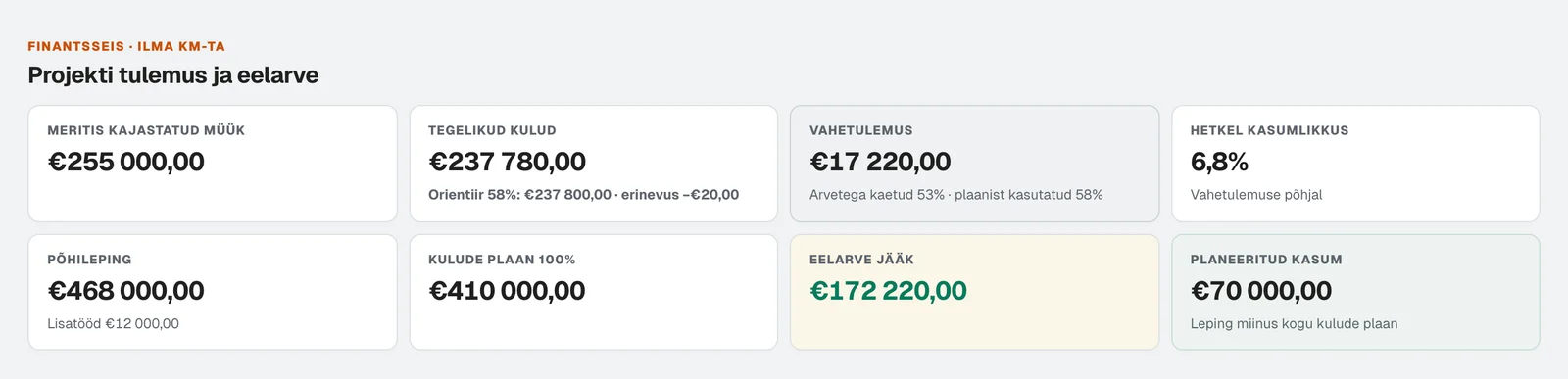
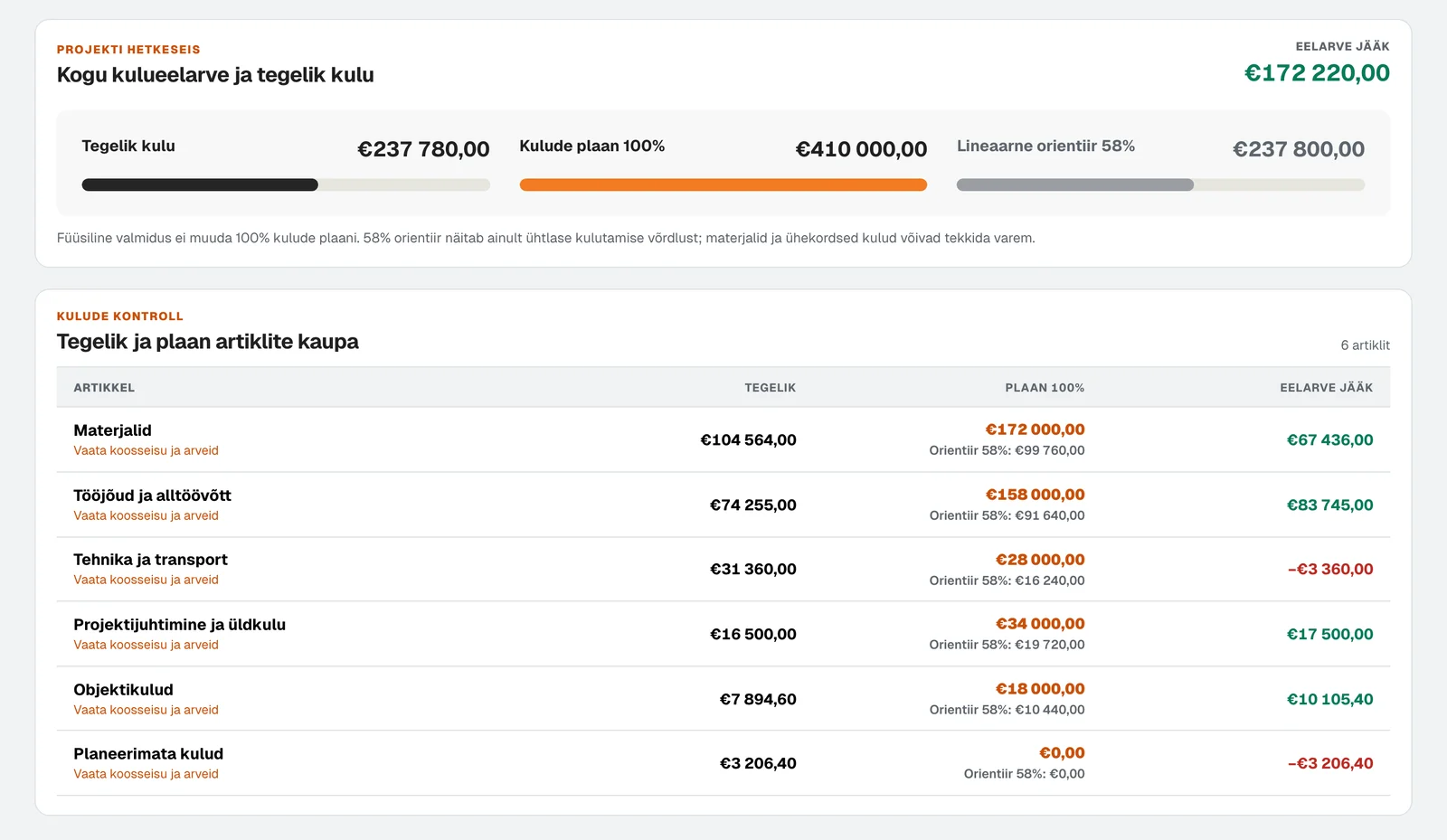
The real dashboard, shown with test data. None of the company's own figures appear here.